XMLNest: XML viewer and XSLT polyfill for Google Chrome™
XMLNest displays XML files, RSS feeds, podcasts and sitemaps in a readable way, and renders XSLT-styled XML pages that Chrome no longer renders. It is free, independent and collects nothing.
Coming soon to the Chrome Web StoreWhat it does
- Styled pages: XML pages that use an XSL stylesheet (version 1.0) look the way the browser used to show them. The result is cleaned before it is shown.
- Tree view: fold and unfold any XML document, search names and values, copy a node, its value or its path.
- Source view: formatted source with line numbers. Download the exact file in one click.
- Reader view for RSS and Atom feeds, with a built-in podcast player.
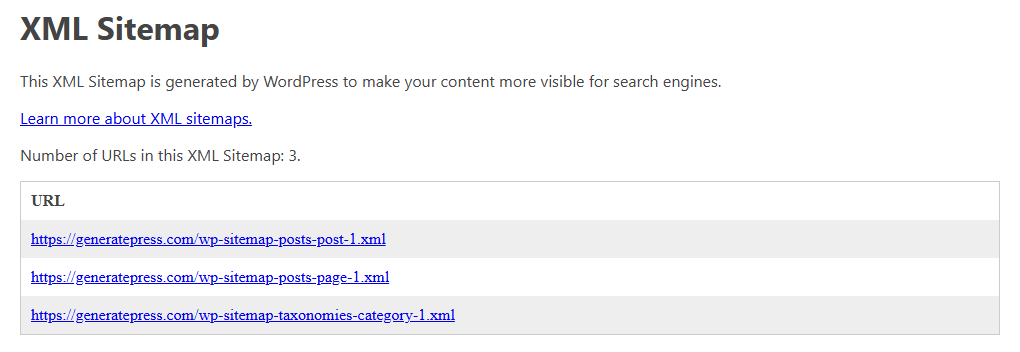
- Reader view for XML sitemaps: a fast table you can filter by text or date, sort, and export to CSV or JSON. Sitemap index files list their parts as links.
- Clear messages: a broken XML file shows the line and column of the error. A stylesheet that cannot be applied explains why, then shows the tree.
- XML files from your computer open in the tree, source and reader views, once you allow local files.
- Light and dark themes. Available in 55 languages.
What it looks like
Permissions, in plain words
XMLNest is installed with no access to any site. Each permission below has one job.
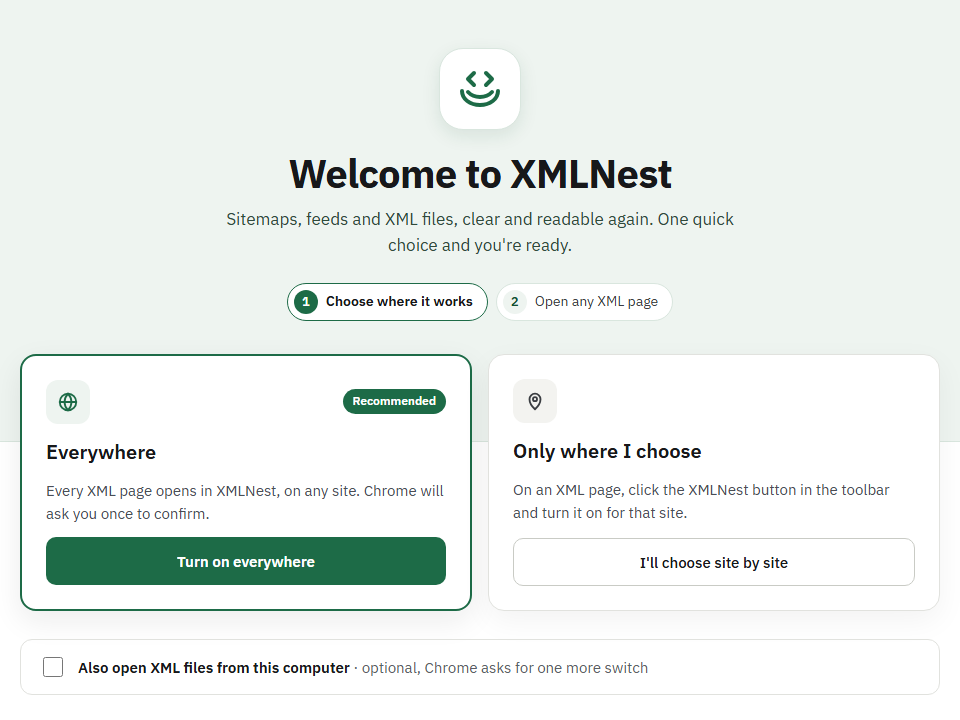
| Access to sites (optional) | Asked only when you click "Turn on everywhere", or turn on "Use XMLNest on this site" from the toolbar button. It lets XMLNest recognise XML pages and load the stylesheet the page itself references. |
|---|---|
| Local files (optional) | Only if you choose to open XML files from this computer and turn on "Allow access to file URLs" for XMLNest in Chrome. No stylesheet is applied to local files. |
| Scripting | Runs the XML detection only on the sites where you turned XMLNest on, or on the current tab when you click "Show in XMLNest". |
| Active tab | Lets you display the current page on demand, without permanent access to the site. |
| Storage | Remembers, in your browser only, your settings, the sites where you turned XMLNest off and the sites where you allowed scripts. |
What it does not do
- It does not add XSLT support to the JavaScript of ordinary HTML pages (XSLTProcessor). The official XSLT Polyfill extension does.
- It does not apply XSL stylesheets to files on your computer, just like Chrome never did.
- It does not run scripts from transformed pages unless you allow them for that site.
- It does not collect, send or sell anything you open.
XMLNest or the official XSLT Polyfill extension?
Both use the same open-source engine, xslt-polyfill. The official extension is the one Chrome's announcement links to. XMLNest adds reader, tree and source views for XML documents and asks for no site access at install. Read the full comparison
Questions
Why is there no permission warning at install?
XMLNest asks for no site access at install. Access is requested only when you turn it on, everywhere or site by site.
Does XMLNest collect data?
No. It has no analytics, no tracking and no ads. The only settings it saves stay in your browser.
Which XSLT version does it support?
XSLT 1.0, like the support that Chrome is removing.
Why are some scripts blocked on transformed pages?
Scripts contained in a transformed page run only on sites where you allowed them, from the toolbar button. This protects you from pages you do not trust.